Tresca for Windows
Add MCP servers and skills for your engineering software to Claude Desktop. Tresca checks each download against its published SHA-256 before Claude Desktop sees it.
Free. Windows 10 version 1809 or later, or Windows 11, on a 64-bit (x64) PC. Updates come through the Microsoft Store.
If Windows says you must install .NET when you open Tresca, choose Yes, install the .NET runtime it offers, then open Tresca again. A fixed version that doesn't need this is waiting for Microsoft's review.
Ways to get it
Both give you the same app, published by Northlark and kept up to date by the Microsoft Store.
Direct downloadTresca Installer.exe · under 1 MB
Made and signed by Microsoft, so it shows the Microsoft Store icon. Run it and it installs Tresca from the Microsoft Store.
Microsoft Store
Open Tresca's page in the Microsoft Store and choose Get. Read the description, screenshots and ratings there first if you like.
Mac or Linux
The app is for Windows only. On other systems, use the directory on this site: every listing has its own install steps.
What you need
Tresca adds items to Claude Desktop; the MCP servers then talk to your engineering software.
- 01
A Windows PC
Windows 10 version 1809 or later, or Windows 11, on a 64-bit (x64) PC.
- 02
Claude Desktop for Windows
Tresca hands each checked file to Claude Desktop, where you confirm the install. Get Claude Desktop
- 03
Your engineering software
Most MCP servers work with software installed and licensed on your computer. Each item's page in the app says what it needs.
What the app does
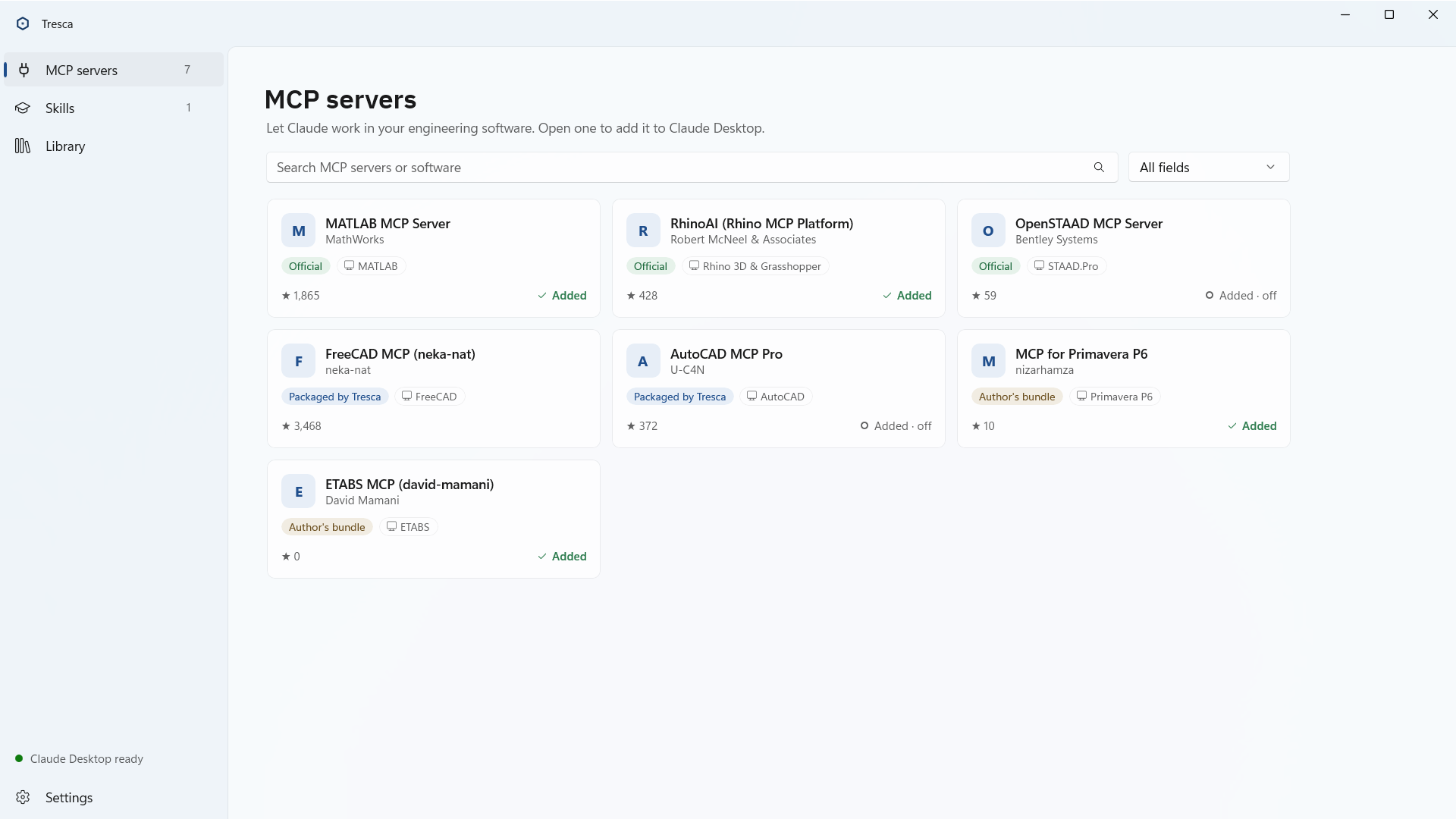
It reads the same checked catalogue as this site's listings.
- Two lists. MCP servers and skills for engineering software, one list each.
- Who publishes it. The software vendor, the project's author, or packaged by Tresca from the project's open-source release.
- Before you start. What you need first, and the settings Claude Desktop will ask for.
- Checked downloads. Size and SHA-256 must match the published values. A file that doesn't is deleted, and Tresca never runs anything it downloads.
- Several at once. Each one downloads straight away; Claude Desktop gets them one at a time.
- Your Library. What Claude Desktop has from the catalogue, on or off, and when a newer release is out.
AI-generated models, drawings and results must be checked by a qualified engineer before use.
Questions
Is Tresca free?
Yes. There is no paid tier and no account. Some MCP servers need commercial software or a licence of their own; their pages say so.
How does Tresca update?
Through the Microsoft Store, like other Store apps. The catalogue of MCP servers and skills updates separately, from tresca.app, without a new app version.
What does the app send?
Tresca has no accounts, analytics or telemetry. It contacts tresca.app for the catalogue and the download hosts the catalogue names. Microsoft's Windows App SDK, which the app uses, sends usage data to Microsoft. The privacy page has the details.
Where do the MCP servers and skills come from?
From the same catalogue as this site: each entry has its source, licence and the date it was checked. Tresca packages a project only when its licence allows it, and ships the upstream licence unchanged.
Is there a version for Mac or Linux?
No, the app is for Windows only. The directory on tresca.app works on any system, and each listing has its own install steps.
More about what the app keeps and sends: Privacy.